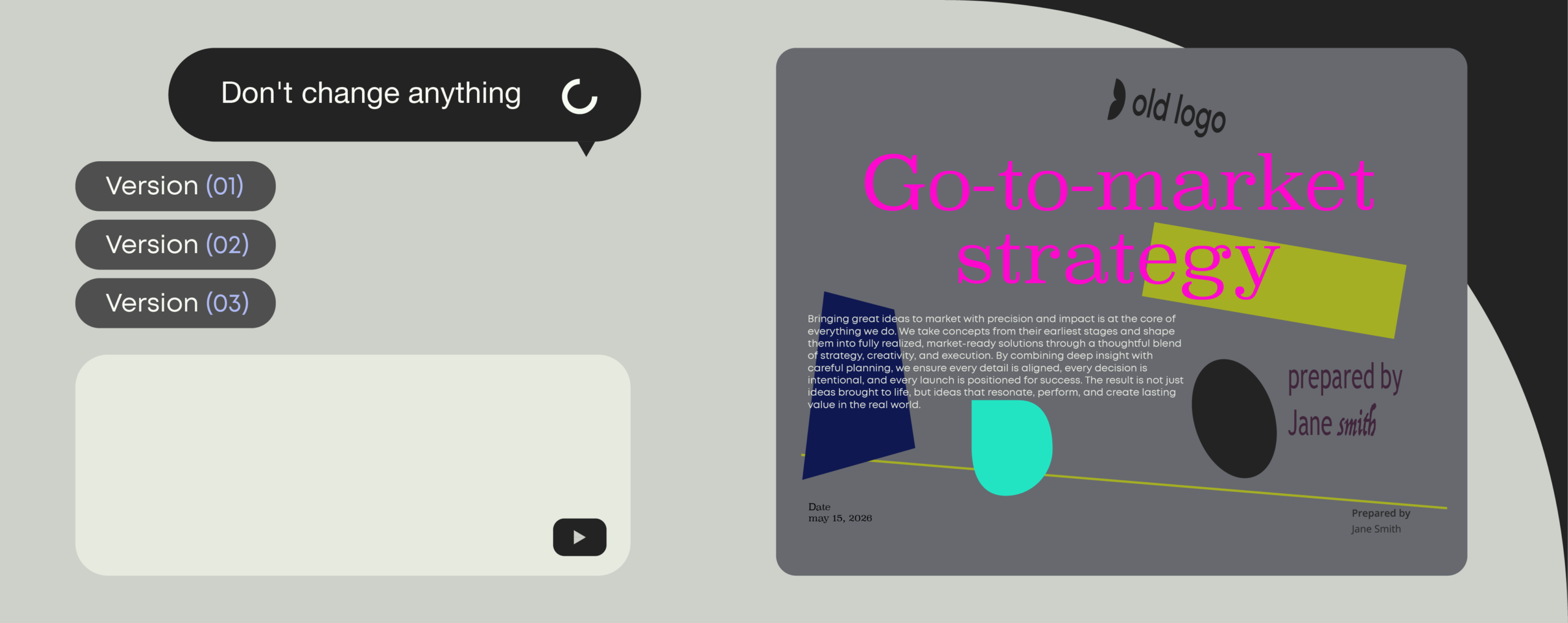
FREE POWERPOINT GENERATOR
Create a PowerPoint presentation instantly with AI. Download it, edit it, use it.
The best AI presentation generators in 2026 (tested for business-use)

Compare the best AI presentation generators for brand governance, data security, and PowerPoint integration
Ever found yourself editing slides moments before a big pitch? Then you already know why AI presentation tools are one of the fastest growing categories in workplace tech.
But for all the hype around saving time, the wrong AI presentation generator can easily do the exact opposite.
The issue isn’t AI. It’s that most AI presentation generators were built for individuals creating quick slides—not organizations that need client-facing presentations at scale.
But there’s good news. A small number of platforms are designed for real business use. Instead of generating presentations in isolation, they use your existing templates, brand assets, and approved AI to keep every deck on-brand, compliant, and high-quality at scale.
In this guide, we compare the most popular AI presentation generators for enterprise readiness, so you can find tools that truly work for business (and avoid the ones that scream “Canva template” or gather more dust than Prezi).
Why choose an AI presentation maker that’s built for business?
Between your team and its next big win there’s bound to be a presentation.
They sit at the intersection of every critical business workflow; from sales pitches and proposals to board meetings, investor updates, and internal strategy reviews. So they need to be built to impress.
The problem is, while consumer tools like Gamma, Beautiful.ai, and Canva Magic Design can create slides that look impressive, they’re not built for how organizations actually operate. They don’t reliably use your approved templates, enforce brand and compliance standards, or fit into the tools and workflows your teams depend on—like PowerPoint.
Here’s why it’s crucial to choose a tool that’s built for business, not just flashy slides.
1. Drive revenue with better presentations
Enterprise AI presentation tools connect with your existing tech stack (CRMs, content libraries, and template systems) so you can guarantee you’re always working from centrally managed, up-to-date information and the latest company messaging.
That way, every presentation is built to impress and carry your brand and reputation, leading to more impactful conversations and more wins.
IComm cut proposal creation time by 92%—from four hours down to just 20 minutes—and increased its win rates by 14%. (Read more the case study)
2. Improve operational efficiency across teams
Like all AI tools, the potential efficiency gains are huge. With the right AI tools, you can automate repetitive document tasks that pull teams away from strategic work.
In fact, Forrester research found that 65% of a seller’s time is spent on administrative tasks like creating sales documents. If you automate the creation of documents like proposals, pitch decks, and RFP responses, teams spend less time on admin and more time preparing for conversations, refining strategy, and moving deals forward. And that’s just one example—the productivity gains extend across the entire organization.
BDO Canada saved $1.65m in one year by reducing time spent on manual document creation. (Read more the case study)
3. Strengthen brand governance and compliance
Building presentations manually (or letting employees generate slides with their own AI tools in silos) leaves far too much room for “creativity.” Presentations end up Frankenstein-style: using the wrong templates, logos, and fonts, outdated messaging, or mistyped product and client details.
The result? Deals left on the table or costly compliance risks.
Enterprise AI presentation makers solve this by automatically applying your brand guidelines, disclaimers, and approved messaging during the creation process. Every presentation starts consistent, compliant, and on-brand, which protects your reputation and reduces risk.
Global consultancy firm ERM ensures brand consistency across 7,500 employees in 40+ countries by automating document creation. (Read more the case study)
ai presentation tools
5 features to look for in enterprise AI presentation tools
- Native PowerPoint integration
- Conversational AI and flexible creation
- Consistent output that scales
- Integration with company content and data
- Enterprise-grade security and compliance
Keep up with AI
Get practical tips and real stories on how AI is changing document work. Stay informed and make smarter choices for your team.
Before we line up the top tools, here are the features that make sure an AI presentation platform is ready for real enterprise use, where scale, consistency and control actually matter.
1. Native PowerPoint integration
PowerPoint isn’t going anywhere. Most professionals still use it daily, so any AI presentation tools should enhance it, not replace it altogether.
This is where most consumer tools fall short. They’re typically web-based and generate HTML outputs, forcing users to either export static PDFs that aren’t usable in PowerPoint, or convert to PowerPoint files with limited editability.
The best tools work directly inside PowerPoint, so slides always have the right structure and never get distorted while exporting. This also means teams don’t have to learn new tools, or switch between platforms, to generate decks.
2. Conversational AI and flexible creation
The best tools will let your teams generate presentations using whatever input works for them, whether that’s conversational AI, existing documents, web links, spreadsheets, or a brain dump of all the above.
For the biggest productivity gains, look for tools that combine conversational AI with AI agents. Chat interfaces let teams create and edit decks using natural language prompts like:
“Build me a Q1 sales update using our brand template and last quarter’s CRM data.”
AI agents can then take that input and handle the heavy lifting: assembling content, structuring slides, and pulling in the right information automatically.
3. Consistent output that scales
Every global organization runs on best-practice content for business-critical information, from pricing and project terms to boilerplate and standard slides. Templates turn this into a repeatable system, keeping branding, layouts and messaging consistent while giving teams a ready-made structure for common presentations.
The best AI presentation tools don’t just plug into this system, they let you scale AI usage across the organization while still enforcing the same templates, phrasing and guardrails. That way, thousands of users can generate decks with AI, and you still get predictable, standardised output every time.
This keeps every presentation aligned with the same rules and ready to use, without multiplying manual review and slide-by-slide fixes.
4. Integration with company content and data
What truly separates consumer AI presentation tools from enterprise solutions is their ability to work within your existing tech stack and use your company data.
Enterprise AI presentation tools connect directly to the systems that store your organization’s information, including:
- CRMs (like Salesforce or HubSpot)
- Content and asset libraries
- Internal knowledge bases
- SharePoint or cloud storage
- Digital asset management (DAM) systems
This ensures every deck starts accurate, compliant, and on-brand, while saving teams hours of rework and revisions.
5. Enterprise-grade security and compliance
Presentations often carry sensitive info like pipeline data, strategies, and IP, so security can’t be an afterthought. Most AI tools leave legal and compliance teams to manually review every deck for risks, disclaimers, or regulatory gaps.
Look for enterprise-grade protections built in, including:
- SOC 2 Type II and ISO 27001 compliance
- Role-based access and SSO
- Full data encryption (at rest and in transit)
- Audit trails and activity logs
- Auto-inserted legal clauses and disclaimers
The best platforms gatekeep your data from the start, by injecting metadata, enforcing policies, and tracking changes. This is especially important in regulated sectors like finance or pharma.
The best AI presentation generators in 2026
Most AI presentation tools are optimized for one of three things: speed, design quality, or governance and control. The important part is knowing which you’re getting—and whether that fits how your organization actually creates presentations.
In this guide, we focus on four widely used platforms that each take a different approach to AI for presentations:
- Gamma: web‑based, AI‑native presentation generator
- Microsoft Copilot for PowerPoint: embedded AI inside Microsoft 365
- Beautiful.ai: design‑led presentation platform with smart layouts
- Templafy: enterprise document generation platform with governed AI agents
If you keep reading, you’ll also find a short debrief on other popular tools that nearly made the cut—including Tome, Presentations.AI, Pitch, Decktopus and Google Gemini for Workspace—and why they’re not part of the core comparison.
Gamma: Fast web‑based slides for individuals and SMBs
Gamma is a browser‑based AI tool that turns prompts into polished, web‑native presentations you share as links. You can export to PowerPoint (with limited capabilities), but the core experience is online rather than in native .pptx files.
Where Gamma excels
Gamma is a good fit when you:
- Want something that looks modern, quickly
- Mostly share presentations as links or web pages
- Don’t need to maintain complex decks in PowerPoint
For individuals, freelancers and small teams, it’s a fast way to go from idea to presentation without touching slide masters.
Where Gamma falls short for enterprises
Gamma becomes harder to use when teams need branded, template‑driven PowerPoint decks.
Exports are editable, but more complex layouts often arrive as many small text boxes and shifted elements that need manual clean‑up. That’s manageable for one deck, but not for hundreds across a large organization.
Gamma also doesn’t offer strong central control over templates, fonts, colours or integrations with CRMs, DAMs and governed slide libraries. It’s a useful web‑first tool for individuals and SMBs, but not a foundation for PowerPoint‑heavy, brand‑driven enterprise workflows.
Microsoft Copilot: A strong assistant inside Microsoft 365
Microsoft Copilot brings generative AI into PowerPoint and other Microsoft 365 apps. You can ask it to draft a deck, turn a document into slides or write speaker notes—without leaving the file you’re working in.
Where Copilot excels
Copilot is a genuinely helpful assistant.
It gets people past the blank slide with outlines and suggestions, and can turn long documents or meeting notes into slide‑sized content. Because it lives inside tools people already use, it’s easy to try and adopt. For early‑stage decks and quick summaries, it can save a lot of time.
Where Copilot falls short for enterprises
Copilot can only provide limited document governance. While it can follow themes, use your templates and pull in organizational assets, it still falls short of full control: it doesn’t reliably choose the right template for each scenario, enforce structure, logos, fonts and layouts across every team, or fully standardise tone of voice. Users face a similar challenge with compliance.
The same applies for compliance. Beyond a generic AI disclaimer, Copilot doesn’t automatically apply all the organization‑specific disclaimers, regulatory clauses, classifications or metadata many enterprises require, so legal and compliance checks still sit largely outside the tool—especially in regulated industries.
What Copilot needs is a management layer that adds centralized rules, guardrails and governed reuse of best‑practice content on top of its AI capabilities, so outputs are predictable and controlled at scale.
In short: it’s a powerful AI assistant inside PowerPoint, but on its own it’s not a complete, governed presentation system for enterprises.
Beautiful.ai: Design-first slides with workflow trade-offs
Beautiful.ai is a design‑led presentation platform. Its smart templates automatically handle spacing, alignment and visual hierarchy, so non‑designers can turn rough content into neat, professional‑looking slides.
Where Beautiful.ai excels
Beautiful.ai shines when slide design is the main concern.
It keeps slides clean and consistent as you add and edit content, which is especially helpful for marketing, brand and comms teams that want polished decks without relying on designers for every slide.
Where Beautiful.ai falls short for enterprises
Just like Gamma, the same smart layout system that feels helpful for smaller teams can feel restrictive for large, brand-heavy organizations. Even with brand controls for colors, fonts and logos, you’re still working inside Beautiful.ai’s own platform and layout model, which makes it hard to mirror complex corporate templates or multi-brand setups exactly.
The workflow also isn’t PowerPoint-first. The app is web-based and creates good-looking HTML output, then exports to PowerPoint and connects with .pptx, but generally builds slides according to its own logic—so exported decks often need re-templating to match your real masters. At scale, teams also report slowdowns with large decks and some frustration around cost and support.
For smaller or design-led teams, those trade-offs may be acceptable. For global organizations that live in PowerPoint and need tight brand control, they’re more of a blocker.
Templafy: AI-powered document agents for enterprise-grade presentations
Templafy is built for organizations where presentations are business‑critical documents: proposals, client deliverables, board packs, audit reports and more. It runs inside the tools your teams already use—PowerPoint, Microsoft 365, Google Workspace and Salesforce—and connects those workflows to centrally managed templates, content and data.
Where Templafy excels
Templafy combines rules‑based automation with AI‑generated content, delivered through document agents configured around your brand, templates and policies.
AI-powered document agents:
- Build full presentations from your real slide masters, layouts and assets, so teams never start from a blank slide or generic AI output
- Reuse approved best-practice slides and content libraries first, instead of reinventing messaging from scratch
- Apply disclaimers, legal clauses, metadata and document policies as part of the creation flow
- Let users expand, rewrite or summarise slides with AI while staying inside defined layouts and tone of voice
Because all of this happens inside native PowerPoint and connected systems, decks stay fully editable and familiar while still governed.
Where Templafy can be less suitable
Templafy is an enterprise‑grade platform, so it makes most sense for organizations with multiple teams, brands or regions producing a high volume of business‑critical presentations. Very small businesses or teams that don’t need governance, integrations or central control may find lighter tools quicker to adopt.
Tools that nearly made the cut
There’s no shortage of AI presentation tools right now. A few others came close to being included in this comparison, but ultimately sit in similar categories to the platforms above—or don’t yet meet enterprise requirements.
Tome
Strong storytelling tool with a flexible, narrative-first format. Great for early-stage ideas and creative presentations, but less suited to structured, PowerPoint-based workflows or strict brand control.
Presentations.AI
Fast, prompt-based slide generation with decent design output. Similar to Gamma in approach, but with fewer differentiating features and less traction in enterprise environments.
Pitch
A collaborative presentation platform with modern design and strong team workflows. Less focused on AI-driven generation and more on collaboration, which puts it slightly outside the core comparison.
Decktopus
Simple and accessible AI presentation builder aimed at quick creation. Useful for individuals, but limited in terms of customisation, governance and integration.
Google Gemini for Workspace
Brings AI into Google Slides and Docs, similar to Copilot in Microsoft 365. Helpful for drafting and editing, but like Copilot, it doesn’t solve for brand governance, compliance or structured document automation.
Comparison table: The best AI presentation generators for enterprises
When you choose an AI presentation generator for enterprise-use, it helps to look at it from two angles:
- End users: How easily can employees create good presentations with AI?
- Administrators: How much control do IT, brand and compliance teams have over how those presentations are created?
Most tools lean heavily toward the first group. Far fewer offer the governance, security and controls needed to manage presentations at scale.
The tables below show how the four tools compare—and what that actually means in practice.
End‑user capabilities
These features determine how easily employees can create presentations using AI.
| Capability | Gamma | Copilot | Beautiful.ai | Templafy |
|---|---|---|---|---|
| Generate full presentations with AI | ✓ | ✓ | ✓ | ✓ |
| Generate individual slides with AI | ✓ | ✓ | ✓ | ✓ |
| Prompt libraries for smart text generation and editing | ✓ | ✓ | ✓ | ✓ |
| Integration with Microsoft 365 / PowerPoint | X | ✓ | X | ✓ |
| Include context from files and documents | ✓ | ✓ | ⚠ Limited | ✓ |
| Access central brand asset libraries (slides, icons, images) | X | ✓ | X | ✓ |
| Balance AI-generated slides with approved best-practice slides | X | X | X | ✓ |
| PowerPoint productivity tools (checks, fixes, helpers) | X | X | X | ✓ |
On the surface, most tools can “make slides with AI”. The difference is where that happens and what they can pull from.
- Gamma, Copilot and Beautiful.ai are strong at getting to a first draft.
- Templafy does that inside PowerPoint and brings in approved templates, content and checks—so the starting point is much closer to “ready for clients” than “rough draft”.
For everyday productivity, any of these tools can help. For enterprise‑ready decks, the gap starts to show when you look at brand assets and PowerPoint‑native tooling.
Administrative and enterprise capabilities
These features matter once presentations touch revenue, brand and risk.
| Capability | Gamma | Copilot | Beautiful.ai | Templafy |
|---|---|---|---|---|
| Centralized custom template library | ✓ | ✓ | ✓ | ✓ |
| Version control and locked slides | X | X | X | ✓ |
| Shared brand asset library | X | ⚠ Limited | X | ✓ |
| Configurable compliance guardrails | X | X | X | ✓ |
| Enterprise‑grade security and certifications | X | ✓ | X | ✓ |
| Role‑based access control | X | ✓ | X | ✓ |
| Audit and change logs | X | ✓ | X | ✓ |
| Priority enterprise support | X | ✓ | X | ✓ |
Here the divide is even clearer:
- Gamma, Copilot and Beautiful.ai are built mainly for individual productivity. They help people make slides, but provide limited visibility or control for IT, legal and brand teams.
- Templafy is built as an enterprise platform. It treats presentations like other governed content: templated, logged, permissioned and connected to your systems.
If presentations influence revenue, reputation, or compliance, control isn’t optional. What looks like a productivity gain at the individual level quickly becomes a risk at scale.
Why Templafy is the only real choice for enterprises
Putting everything together, a pattern emerges:
- Gamma delivers speed for web‑first decks.
- Copilot accelerates drafting inside PowerPoint.
- Beautiful.ai raises the design baseline for non‑designers.
All three are mostly focused on individual productivity. They help people make slides faster; they don’t give the organization reliable, end‑to‑end control over how presentations are structured, branded, approved and reused.
Templafy is designed to do all three things enterprises care about—speed, quality and control—in one environment. It combines:
- AI‑powered document agents tuned to your templates, content and rules
- Rules‑based automation for repeatable, high‑value presentations and documents
- Central governance of templates, assets and AI behaviour
- Deep integration with Microsoft 365, Google Workspace, CRM and DMS systems
That’s why global enterprises like KPMG, BDO and other industry leaders rely on Templafy to power their presentations and documents. They need AI that doesn’t just create slides faster, but ensures every deck is on‑brand, compliant and ready for clients, boards and regulators—no matter who in the organization creates it.
What customers say about Templafy
The true test of any AI presentation platform is how it performs inside large, complex organizations—not just in a demo.
Templafy is used by global enterprises to generate accurate, compliant, on‑brand presentations at speed, and the numbers show how much manual work it replaces.
- Adobe automated sales presentations directly inside PowerPoint, cutting presentation‑building time by around 72% and giving each rep nearly a month of productivity back every year. (Watch the video)
- IComm made proposal creation 92% faster, reducing the process from four hours to about 20 minutes. (Read more)
- Ipsos reports up to 30% less time spent on client deliverables across its teams. (Watch the video)
- BDO Canada saved $1.65 million in a single year through document automation. (Read more)
- ERM uses Templafy to maintain brand consistency for 7,500 employees in 40+ countries, with templates and messaging embedded directly into everyday document creation. (Read more)
As Jason Baer, Senior Manager, Digital Strategy Group at Adobe, puts it:
“We used to create content from scratch. Now, with Templafy, we click some buttons and we automate that process… I don’t know if we can really live without it anymore.”
These results show what enterprise AI should deliver: not just more slides, but better presentations, stronger brand governance and measurable business impact.
Ready to go from prompt to PowerPoint in seconds?
AI slide tools are everywhere. The real question is whether they can create accurate, compliant and on‑brand presentations that plug into your existing systems—not just generate a quick draft.
Templafy’s AI‑powered document agents do exactly that. They blend AI‑generated content with rules‑based automation so every presentation starts from the right templates, uses the right content and follows the right policies.
Want to see how to go from prompt to professional presentation in seconds, right inside PowerPoint, using your own templates, brand assets and data?
Book a Templafy demo to see how our document generation engine helps your teams create high‑quality, trustworthy presentations faster—without compromising organizational control or consistency.
FAQ
What is the best AI presentation generator in 2025?
The best AI presentation generator depends on what you need most.
If your priority is speed and quick slide creation, tools like Gamma or Beautiful.ai can generate presentations quickly from prompts. If you want AI assistance inside Microsoft tools, Copilot can help draft slides and summarize documents.
For organizations that rely heavily on PowerPoint and need brand governance, security, and integrations with internal systems, enterprise platforms like Templafy are often the better fit. These tools combine AI generation with the controls required to create business-ready presentations at scale.
Are there good free AI presentation generators?
Yes, there are several free AI presentation generators available online. These tools are great for experimenting with AI and quickly turning ideas into basic presentations. However, most free tools are designed for individual use and typically lack the capabilities businesses need such as brand governance, security controls, template management, and seamless PowerPoint compatibility. For teams creating client-facing presentations, these gaps can lead to inconsistent quality, compliance risks, and time spent fixing slides after generation.
If you’re looking to go beyond experimentation, platforms like Templafy combine AI-powered presentation creation with enterprise-grade control so every presentation is accurate, on-brand, and ready to use from the start. You can now for explore these capabilities through and see the impact on your own workflows. Try Templafy for free.
What is the best free AI presentation generator?
Free AI presentation generators can be a great starting point for testing ideas or quickly creating simple presentations. They are often used by students, freelancers, or small teams who prioritize speed and ease of use.
However, most free tools are built for basic use cases and focus primarily on design and rapid generation. They typically don’t support the requirements businesses have such as PowerPoint-native workflows, approved brand templates, compliance controls, or integrations with internal systems. As a result, they are best suited for experimentation rather than creating client-ready, business-critical presentations.
For teams that need to move from quick drafts to high-quality, on-brand presentations at scale platforms like Templafy combine AI generation with the structure and control required in enterprise environments. You can now for explore these capabilities through and see the impact on your own workflows. Try Templafy for free.
What is the best AI presentation generator tool for businesses?
For businesses, the best AI presentation generator is one that fits into existing workflows and governance frameworks.
Look for tools that combine AI generation with native PowerPoint integration, brand governance, secure document workflows, and connections to company data systems. These capabilities help ensure presentations remain accurate, consistent, and compliant across teams.
Platforms designed specifically for enterprise document creation, such as Templafy, tend to perform best in these environments.
Will AI presentation generators replace manual slide creation?
AI is already automating much of the structure and drafting involved in building presentations.
Modern tools can generate slide outlines, create content from documents, and assemble presentations from templates in seconds. Human input remains essential for strategy, storytelling, and decision making.
In practice, AI presentation generators work best as productivity tools that help teams create high-quality presentations faster while keeping control of the final message.

BLOG
Our Gartner report recap: How to think about AI in document management in 2026
February, 2026
4 min read
As generative and agentic AI move from pilots into daily use, organizations are being forced to confront a practical reality: AI only delivers value when it is grounded in structured, accessible, and well-governed content.
Read more
BLOG
Templafy Talks: Going beyond text to generate full documents
February, 2026
9 min read
This Templafy Talks session focused on a growing challenge: how to add structure, governance, and brand control to AI-generated content.
Read more

BLOG
Templafy Talks: What we learned about AI maturity
February, 2026
9 min read
In this Templafy Talks, we explored what AI maturity really looks like in large organizations. We discussed why documents are such a useful way to assess AI maturity, and how factors like governance, data readiness, and user experience shape whether AI delivers real value or creates new problems.
Read more