Templafy wrapped: Our biggest product launches of 2025

Four highlights from 2025 that gave you more control, speed, and confidence in every AI-powered document
For more than a decade, our mission has been simple: eliminate manual document work. And in 2025, more than 800 global enterprises trusted Templafy to do just that.
But our mission has never been just about speed. Anyone can make documents faster with generic AI tools. But speed without control creates risk, inconsistency, and rework.
What organizations really need is AI that balances efficiency with governance. They need tools that can produce accurate, compliant, and on-brand business documents at scale—all while keeping employees happy and administrators in control.
So that’s what we’ve delivered.
From AI-powered document agents that generate complete, client-ready documents from scratch, to small UX improvements that add up to big productivity wins, here are the four biggest updates we delivered in 2025 to help enterprises work smarter, faster, and safer.
1. We launched AI agents that build business-ready documents in seconds
Stay ahead with updates
Be the first to know about new features and integrations. Explore updates that make your daily work smoother and more connected.
Document agents that generate compliant presentations from a simple prompt
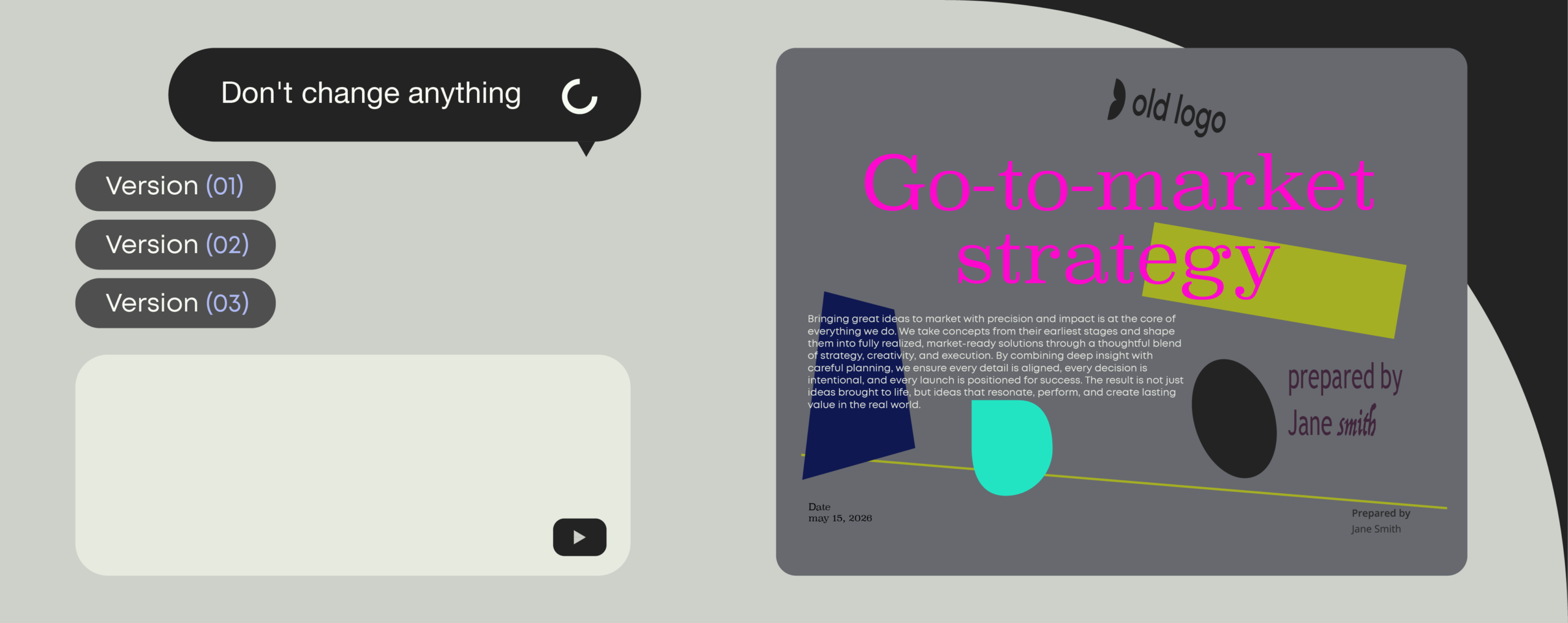
Our most groundbreaking release yet. With a team of document agents working behind the scenes, creating a business-ready presentation is now as easy as typing what you need into Templafy’s chat-based interface—right inside Microsoft 365. Seconds later, a polished, compliant draft appears.
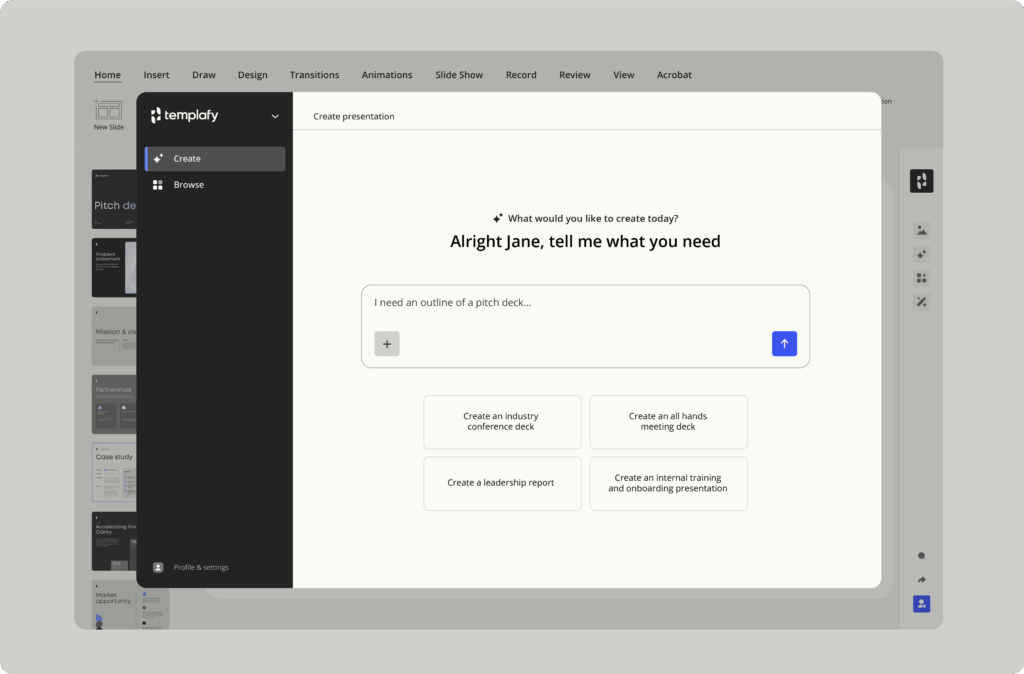
How it works: These agents are trained to understand your company inside and out.
They pick the right template and structure, pull the latest approved content from your CRM, libraries, and data sources, and use your preferred AI models to ensure every document is accurate, consistent, and on-brand.
Once that strong foundation is in place, Templafy’s editing tools make it simple to refine and perfect the document until it’s ready to send.
Why it matters: Documents take up nearly half of a knowledge worker’s day—and most of that time is spent searching, formatting, rewriting, or fixing mistakes.
Document agents remove that burden entirely. Employees get a complete first draft in seconds, while administrators keep full control over branding, compliance, and how AI is used. The result is faster work, fewer risks, and far more value from the content, data, and AI that your business already invests in.
Ready to see document agents in action? Watch the video or book a demo with our document experts.
Business-ready documents with Microsoft Copilot agents
When it comes to creating business-ready documents, Copilot agents fall short. That’s why we added a layer of compilation and logic to Copilot agents to make them better at creating documents. With the Templafy connector, you can now generate business-ready documents with Copilot Studio and Power Automate that are accurate, high-quality, and on-brand—instead of the messy AI drafts most workflows produce.
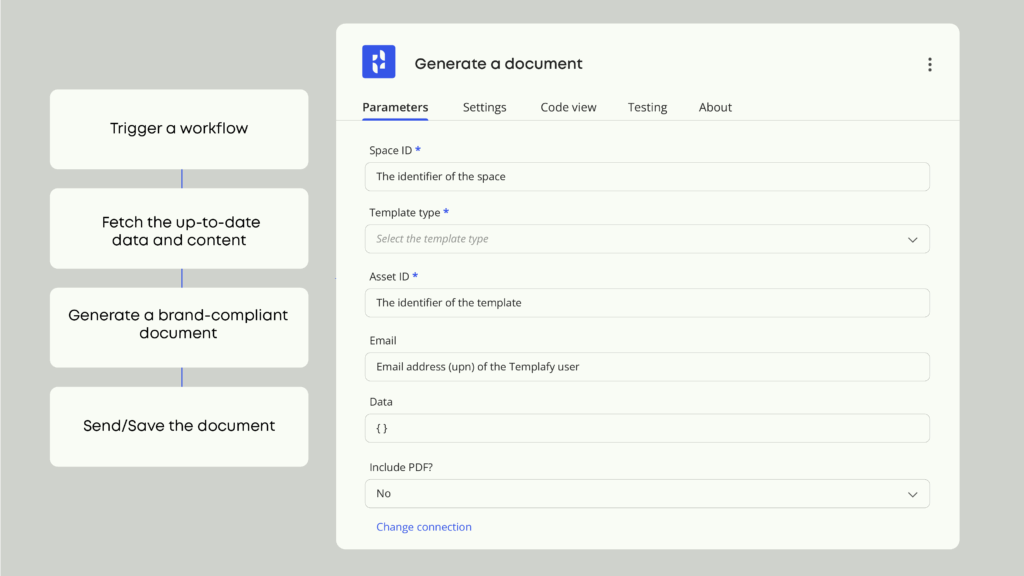
How it works: When a Copilot agent needs to create a document, it sends the request to Templafy. Templafy then builds the file behind the scenes using the correct template, the latest approved content, and your company’s formatting, branding, and compliance rules. The finished document is then passed back into the workflow, ready to use.
Why it matters: Agents and online tools can generate documents from scratch with AI—but most business documents don’t need to start from zero. Much of the content is repetitive, which makes rules-based automation a better, more reliable way to keep documents consistent.
With Templafy, every output is consistent, compliant, and client-ready. Teams save hours, leaders gain confidence in automation, and your organization gets far more value from both Copilot and Templafy.
Find out how to make Copilot outputs more accurate with the Templafy’s Document Generation Connector.
2. Admins can now manage content and templates with far more clarity and control
Smarter Library Asset Management
The content library is now easier to govern and keep up to date. We introduced expiration dates, bulk tagging, asset ownership, and user-to-admin feedback, so admins can quickly retire outdated files, reorganize large libraries, and assign clear responsibility for every asset. Users can also flag problematic content directly, making it faster to keep libraries clean.
Why it matters: Content stays current and trustworthy, employees find the right assets faster, and admins spend far less time performing manual cleanup.
Folders for data sources
Dynamic content is now easier to manage at scale. Admins can organize data sources into folders—by region, team, or business area—and control access at the folder level. This brings structure to libraries that previously contained dozens of standalone sources.
Why it matters: Template builders can quickly locate the correct data source, errors decrease, and large organizations get clearer governance across complex data environments.
New dynamics configuration flow
Dynamic templates are now much simpler to maintain. The redesigned configuration flow lets admins update dynamic fields, rules, and logic directly inside Word and PowerPoint, starting from a unified Template Designer page. There’s no need for technical support or switching between multiple tools.
Why it matters: Admins can update templates in minutes instead of relying on specialists, ensuring documents stay aligned with evolving business rules and improving accuracy across all dynamic outputs.
AI Smart Fields in Create (PowerPoint)
AI Smart Fields can now pre-fill slide text for you. Simply choose a template and type a short prompt about what you need and Templafy does the rest. It brings in approved data and assets, using the right formatting and brand guidelines. That way, you’re no longer starting from an empty slide—you get something solid that you can edit right away.
Why it matters: You spend less time writing and formatting, your decks come together faster, and presentations stay consistent across teams.
3. You can now drive higher adoption with content insights
Library Content Insights
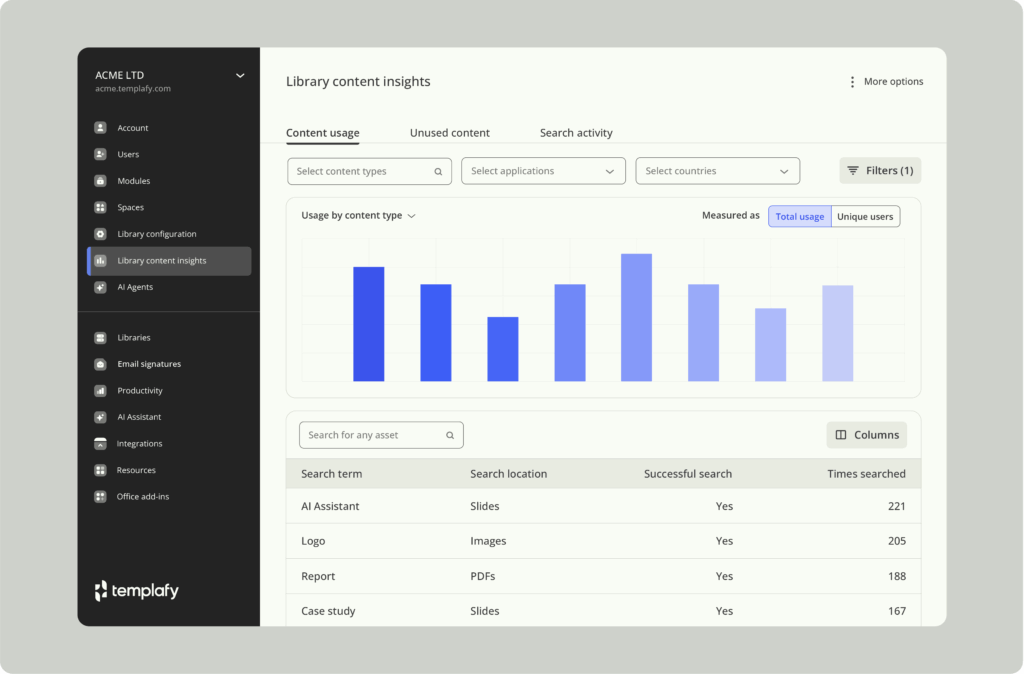
The new analytics dashboard shows exactly how your library is being used: which assets are opened the most, which ones are rarely touched, and how often dynamic fields are triggered inside documents.
That means you can see patterns over time, spot outdated or low-value assets, and understand which slides, templates, or documents teams truly rely on.
Why it matters:
When admins know what assets people use—and what they don’t—they can improve the library in a way that directly boosts adoption and in turn increases productivity. High-value assets get prioritized, clutter gets removed, and the whole library becomes moretrustworthy and easier to navigate. It turns content management into a data-driven process rather than guesswork.
4. We made the end-user experience even smoother
Collapsible Task Pane
The task pane now collapses when you’re focused on writing and expands instantly when needed, giving you more space without slowing you down. Nothing disappears—you simply get a cleaner workspace and quick access to the library whenever you need it.
Why it matters:
A less cluttered screen makes Word, PowerPoint, Excel, and Outlook easier to work in, and that leads to better adoption of the library itself. Users stay focused on their document, and when they need approved content, it’s right there, just one click away.
It’s a small improvement that pays off for our users thousands of times a day.
Our customers prove that better documents win business
There’s a reason that leading enterprises—from KPMG to Novo Nordisk, EY, and BDO—trust Templafy to create their most important documents. They win more work because their documents work harder.
Proven results at scale
1,200+ working hours saved annually
Everest Group, Read the case study
$1.65m saved in one year
BDO Canada, Read the case study
Brand consistency across 7,500+ employees in 40+ countries
ERM, Read the case study
You won’t want to miss what’s coming next
If you think this was a big year for Templafy, just wait until you see what’s coming in 2026.
If you’re curious about Templafy and how it could benefit your organization, the best way to stay connected is by booking a personalized demo of our platform with one of our document experts.
If you haven’t already, subscribe to the Templafy email newsletter to stay current with all our product releases, upcoming webinars and events, and all the latest Templafy news. You can also visit our Help Center, which includes informational articles and an AI-powered chat bot for hands-on training and deep dives into everything we’ve launched.
Finally, if you’re a current Templafy customer, remember to check out the Templafy Academy for tips on getting more from the platform and step-by-step guidance for mastering all things Templafy.
BLOG
The best AI presentation generators in 2026 (tested for business-use)
March, 2026
23 min read
Ever found yourself editing slides moments before a big pitch? Then you already know why AI presentation tools are one of the fastest growing categories in workplace tech. In this guide, we compare the most popular AI presentation generators for enterprise readiness, so you can find tools that truly work for business.
Read more

BLOG
Our Gartner report recap: How to think about AI in document management in 2026
February, 2026
4 min read
As generative and agentic AI move from pilots into daily use, organizations are being forced to confront a practical reality: AI only delivers value when it is grounded in structured, accessible, and well-governed content.
Read more

BLOG
Templafy Talks: Going beyond text to generate full documents
February, 2026
9 min read
This Templafy Talks session focused on a growing challenge: how to add structure, governance, and brand control to AI-generated content.
Read more