

Templafy Agent add-in for PowerPoint
One agent to create, edit, review, and search for content, right inside PowerPoint.
Meet Templafy’s free AI PowerPoint maker (yes, really)

Free, professional presentations that actually work in PowerPoint
Building presentations from scratch is dead. And, frankly, we say good riddance—wrestling with fonts, layouts, and charts until far beyond 5pm wasn’t working.
Today’s professionals are turning to AI presentation tools for business instead.
The problem is, most of them weren’t built for work. They might be able to generate flashy slides and visuals, but that’s not what your clients, leadership, or stakeholders actually need.
That’s exactly why we built a free AI PowerPoint agent.
Templafy’s free PowerPoint agent turns a prompt and optional supporting files into a structured, business-ready presentation. You can review the storyline and slides before generation, then download a fully editable .pptx file and continue refining it in PowerPoint.
Here’s why it trumps every other tool on the market, and how to get started.
The problem with most AI presentation tools
The business world is not a playground (sadly). The most popular AI presentation makers on the market are genuinely impressive, with AI-generated visuals and enough templates to keep you busy for weeks. And that is exactly the problem.
For professionals, the real test is whether a tool actually makes your work faster, fits into the workflows you already use, and produces outputs you could put in front of a client.
Here’s where most tools fall short.
The outputs aren’t built for business use cases
A sales deck, a board report, and a client proposal have different structures, tones, and goals. Most free tools generate generic layouts that look polished but need significant restructuring before they are fit to send.
The templates have nothing to do with your brand
Hundreds of templates sounds useful. But in practice, it’s overwhelming and time-consuming.
None of them use your fonts, colors, or logo. Every output has to be manually updated before it is ready to share, internally or externally.
The files break when you open them in PowerPoint
Most AI tools export files that fall apart in PowerPoint. Fonts substitute, layouts shift, and images move. For any team working inside Microsoft 365 day to day, an output you cannot reliably edit is not a solution.
Editing takes longer than starting from scratch
Fixing layouts, correcting content, and reapplying brand standards after generation can easily eat up more time than building the presentation yourself.
How Templafy does it differently
With more than a decade building document solutions for the world’s leading organizations, we know what professionals actually need from a presentation tool. Not just something that looks good—it needs to be structured, business-ready, and fast enough to meet a real deadline.
That is what Templafy’s free PowerPoint agent was built to do.
You get a complete presentation, not just slides
Most AI tools give you a collection of slides. Templafy’s PowerPoint agent gives you a complete presentation, with a clear structure, logical narrative flow, and business-ready content from the first slide to the last. Download it, open it in PowerPoint, and it is ready to edit and send.
It understands how business documents work
Templafy’s PowerPoint agent is built on document intelligence, not just generative text. It understands the logic of real business deliverables: the right structure for a sales deck, the right tone for a board report, the right format for a client proposal. The result is a presentation your colleagues would approve of and your clients will not question.
It works the way you already work
No new platform to learn. No credit card required. Templafy’s free PowerPoint agent runs in the browser. Simply write a prompt (or upload a file for context), choose a theme, and it generates a fully editable PowerPoint file that you can refine, review, and collaborate on directly in Microsoft 365.
Templafy’s PowerPoint Agent
How it works, step by step
- Prompt: Describe the presentation you need
- Answer a few questions
- Review your structure and slides
- Agents generate your deck
- Edit and perfect in PowerPoint
- Continue editing with the Agent add-in
Keep up with AI
Get practical tips and real stories on how AI is changing document work. Stay informed and make smarter choices for your team.
Here’s how to generate a professional slide deck that’s ready to send—and fully editable inside PowerPoint.
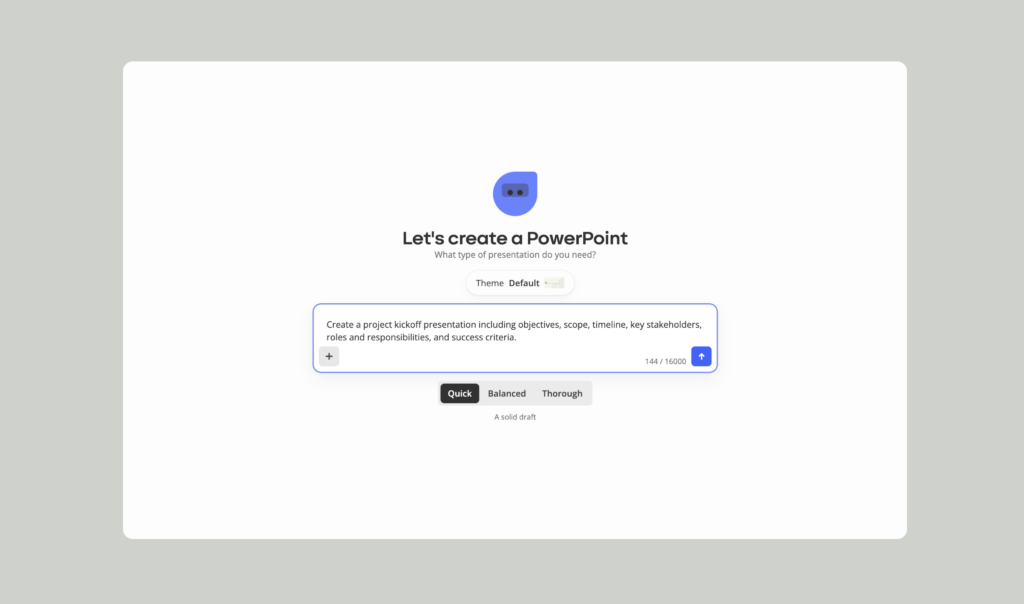
1. Prompt: Describe the presentation you need
Search templafy.com/experience-templafy to begin.
You’ll find the Templafy chat interface, where an AI agent will walk you through, step by step.
To start:
- Choose a theme: Default, simple, dark, or light
- Choose the level of detail: Quick, balanced, or thorough
- Write the prompt: Describe the presentation you want to generate
- Upload files for extra context: .DOCX, .XLSX, .PPTX, .PDF.
2. Answer a few questions
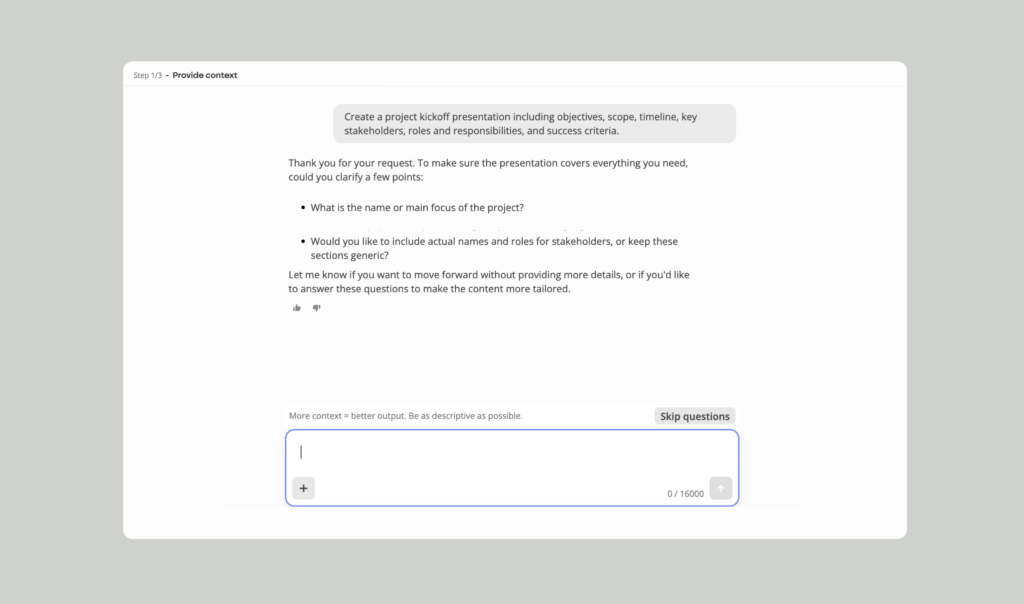
To improve accuracy, Templafy’s AI agent might ask a few follow-up questions.
3. Review your structure and slides
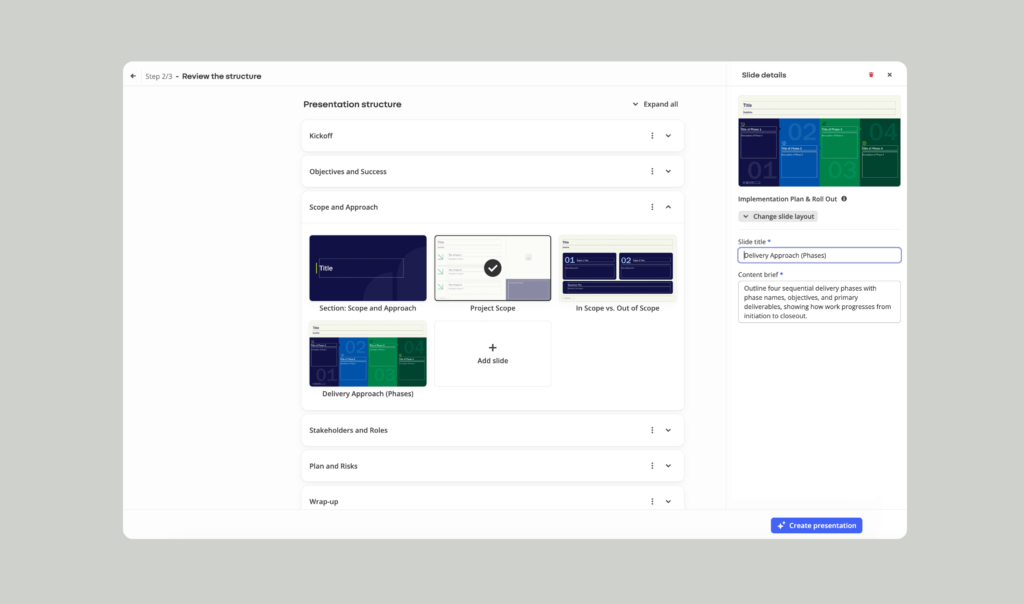
This is your chance to get granular and make sure every slide doesn’t just look or sound right, but is right.
You can:
- Add or remove slides
- Edit slide layouts
- Add notes to individual slides for even more context
Once you’re happy with the structure, click the “create presentation” button and you’re good to go.
4. Agents generate your deck
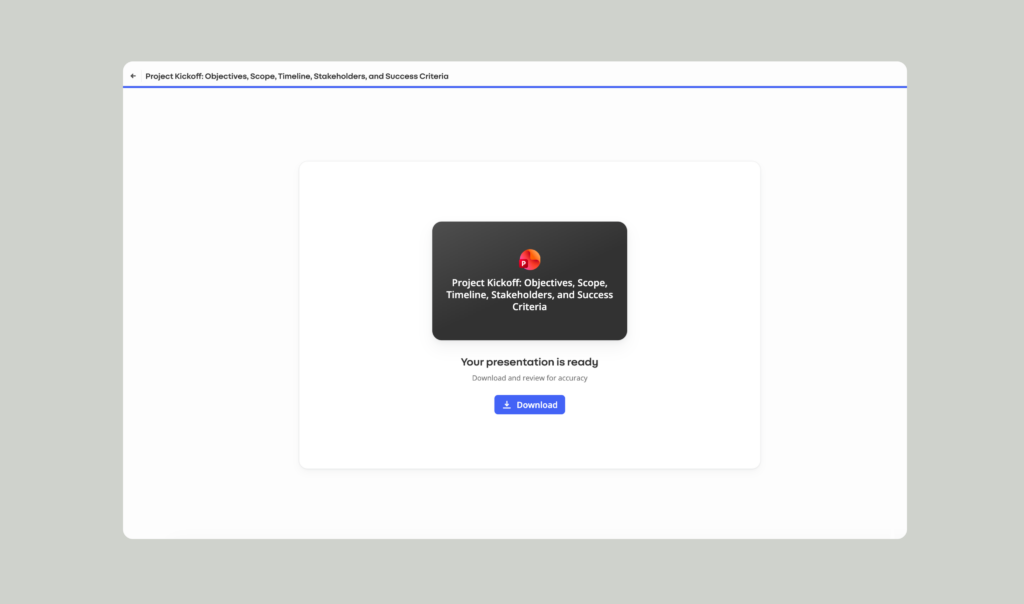
Sit back while Templafy’s Agents create your presentation.
When it’s ready, click “download” and your presentation will export as a fully editable PowerPoint file that opens directly in PowerPoint.
5. Edit and perfect in PowerPoint
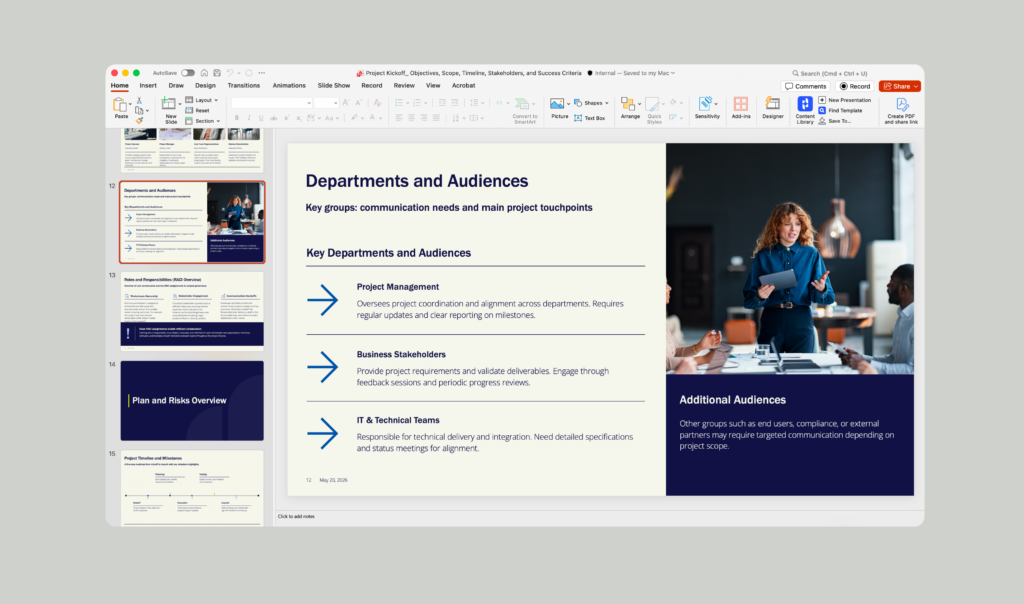
Need to tweak slides, update content, or add feedback? Keep refining your presentation in PowerPoint with your usual tools and workflows.
Your deck exports with fully editable PowerPoint elements, so you can edit and review the way your teams already do, without fighting broken text boxes or fixed layouts.
6. Continue editing with the Agent add-in
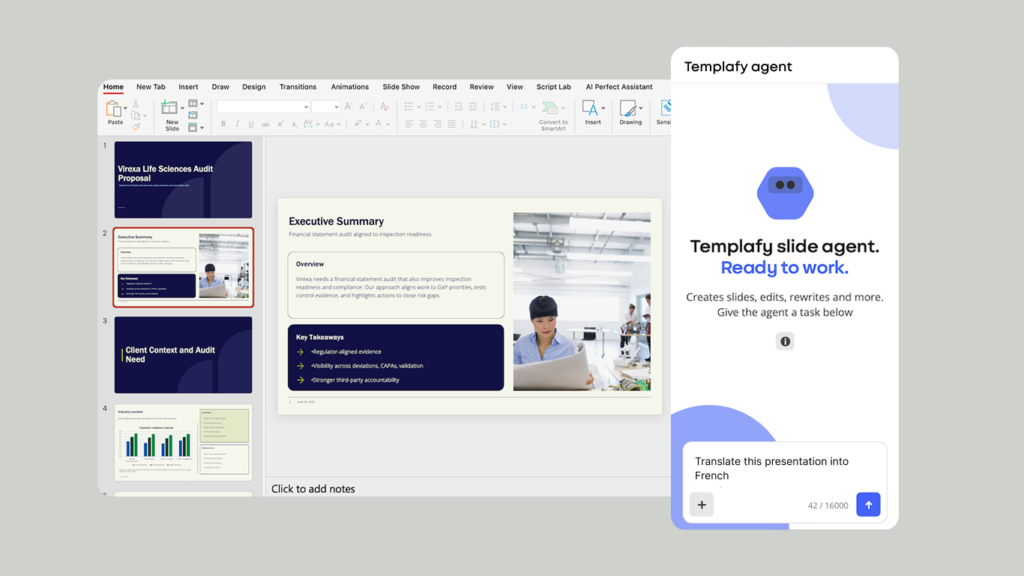
If you prefer to create, edit and review presentations without leaving PowerPoint, you can also install the free Templafy Agent add-in.
Through a conversational chat, you can ask the Agent to add slides based on the presentation in front of you, rewrite or translate content, improve layouts and formatting, create native PowerPoint charts and tables, or review the deck before it is shared.
Download the Templafy Agent add-in free from Microsoft Marketplace
And there you have it. A fully editable, professional PowerPoint, built in minutes.
FREE POWERPOINT AGENT
Create a PowerPoint presentation instantly with AI.
What else can Templafy do?
Templafy’s free PowerPoint agent is just a taste of what’s possible.
With the full Templafy platform, you can scale AI document creation across every team, workflow, and document type, without losing control of what matters: quality, consistency, accuracy, branding, and compliance.
Here’s what AI document creation for enterprises looks like in action.
AI agents with governance built in
While most AI tools just generate text, Templafy’s AI document agents generate entire documents and presentations from a simple prompt, connected to your data, brand rules, approved content, and compliance requirements. All from inside Microsoft 365.
Watch the video to see agent-powered document creation in action
Connected to your entire content ecosystem
Templafy works natively inside Microsoft 365 with no new software and no disruption to existing workflows. It connects with your DAM, CRM, SharePoint, and Salesforce, so every document your teams generate automatically pulls in the right templates and up-to-date data, across every department and every document type, without the risk of off-brand or non-compliant content slipping through.
The secure way to scale AI
Security is the foundation of everything we do at Templafy. Templafy is SOC 2, SOC 3, ISO 27001, ISO 27017, and GDPR compliant, and Microsoft 365 App Certified. Templafy’s AI runs on Microsoft Azure OpenAI or your own trusted AI model, with role-based access controls, encrypted data, and full activity logs for complete IT and InfoSec visibility.
How leading organizations get measurable ROI with Templafy
There is a reason four million users across 800 leading enterprises, including Big Four firms like KPMG and BDO, trust Templafy to generate documents at scale. Here is what some of them have to say.
“Last year, we generated over 120,000 documents through Templafy, saving us about $1.65 million.”

Brion Hendry
Partner, BDO
“With Templafy, we’ve found the key to the productivity promise of AI without the risk. It’s simple to manage, easy to use, and helps everyone deliver reliable business content much faster.”

Kaisa Nummela
Portfolio Owner, Tietoevry
Ready to go from prompt to PowerPoint?
Templafy’s free PowerPoint agent turns a single prompt into a complete, professional deck. No credit card required.
Already working in PowerPoint? Use the Agent add-in to create slides, refine content, fix formatting and review your presentation without switching applications.
Download the free Agent add-in from Microsoft Marketplace
The best way to see what Templafy can really do for your organization is to speak with one of our document experts. Book a personalized walkthrough to see it in action.
FAQ
What is Templafy’s free AI PowerPoint maker?
Templafy’s free AI PowerPoint maker is an Agentic presentation tool that turns a written prompt and optional supporting files into a complete, editable PowerPoint presentation. Users can review the proposed structure and slides before exporting the presentation as a native .pptx file.
Can AI create a fully editable PowerPoint presentation?
Yes. Templafy generates a native PowerPoint file with editable slide content rather than a static PDF or flattened image. You can continue changing the text, layouts, charts, and other presentation elements in PowerPoint.
What is the difference between the PowerPoint agent and the Agent add-in?
Templafy’s free PowerPoint agent creates a new presentation through a guided browser experience and exports it to PowerPoint. The free Agent add-in works directly inside PowerPoint, where users can create slides, rewrite or translate content, improve layouts, build charts and tables, and review an existing deck through chat.
Is Templafy’s AI PowerPoint maker free?
Yes. The free PowerPoint agent can be used without a credit card. Templafy also offers a free Agent add-in through Microsoft Marketplace for users who want to create, edit, and review presentations directly inside PowerPoint. Download the add-in.
Can Templafy use my company’s templates and brand guidelines?
The free PowerPoint agent supports pre-designed themes and lets users upload files for additional context. The full Templafy platform can connect presentation creation with company-approved templates, brand assets, content libraries, business data, and governance controls.

BLOG
Gartner® just named Templafy a Cool Vendor in 2026 Coolest Vendor Innovations in Digital Workplace Applications
October, 2026
7 min read
AI is everywhere in the enterprise. So why are leaders still finding it difficult to turn adoption into meaningful productivity gains? This is exactly the challenge Gartner examines in its recent report, Coolest Vendor Innovations in Digital Workplace Applications.
Read more

BLOG
Beyond the First Draft: Closing the AI Productivity Gap
October, 2026
6 min read
‘The Business-Ready AI Gap 2026’, Templafy’s new report based on a survey of 2,000 knowledge workers who use AI to create business documents at least once a month in the UK and US, alongside Templafy platform data, reveals the gap between a first AI-generated draft and something that’s ready to share.
Read more
BLOG
Brand governance vs. brand compliance: The crucial difference in the AI era
September, 2026
14 min read
7 ways to keep AI-generated documents accurate, current, and on-brand at scale.
Read more